Create Your Anime logoCreate Your Anime
  • Home
  • Workspace
  • Anime Storyboard
  • Pricing
HomeAI Anime Storyboard Generator

AI Anime Storyboard Generator

Turn Your Story into an Anime Storyboard with AI

Build an editable anime storyboard inside a real story project. Connect the script, reusable characters, locations, shot directions, image references, and generated frames so you can review the sequence before spending credits on shot-level video.

Start a storyboard projectSee the storyboard workflow

Storyboard generation takes place inside the Create Your Anime workspace, not directly on this guide page. Review plans and credit options

  • Editable shot structure
  • Reusable character context
  • Per-shot image and video generation
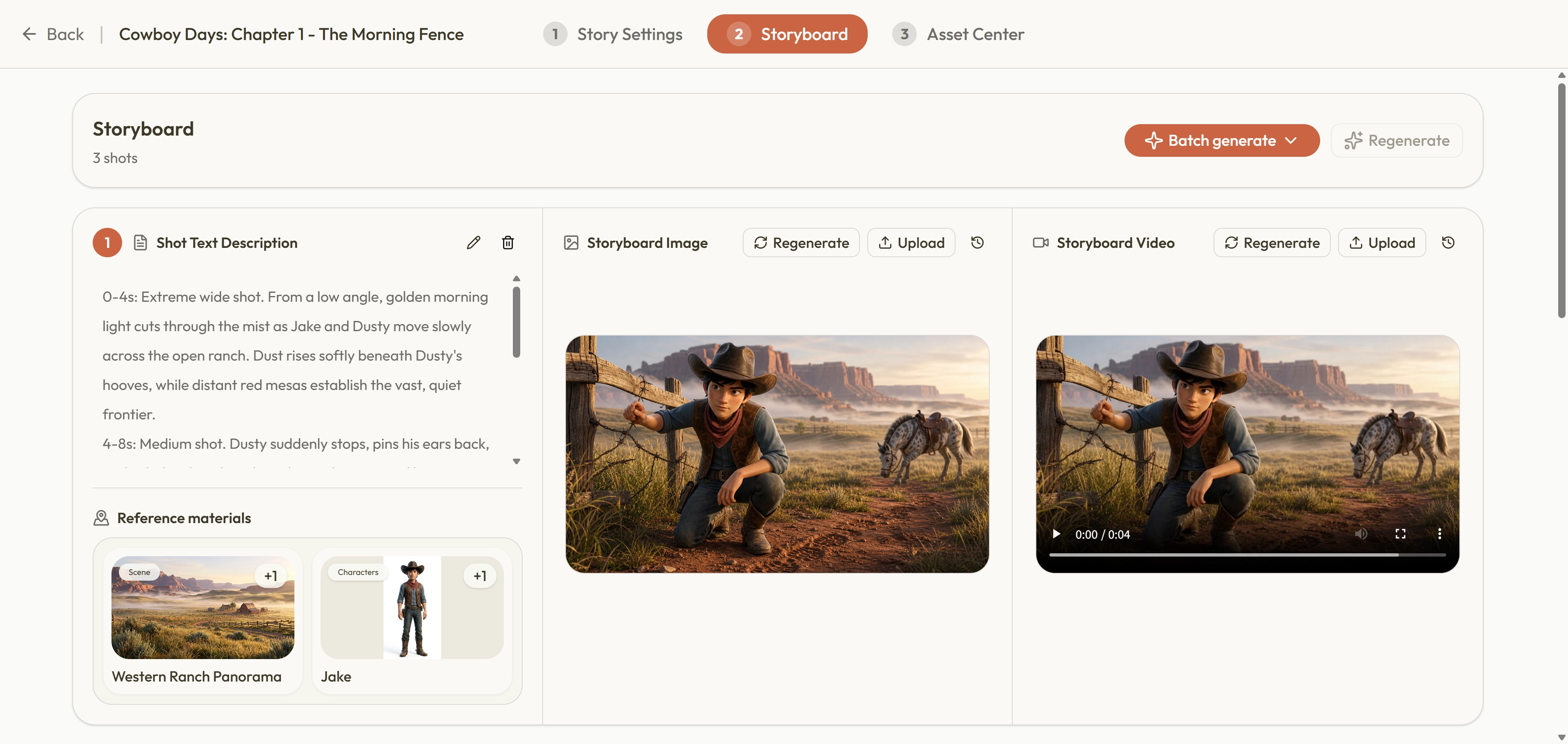
Create Your Anime workspace showing editable anime storyboard shots and generation controls

Connected storyboard workflow

Move from a story brief to reviewable anime shots

An anime storyboard is more useful when every frame can be traced back to a narrative decision. Create Your Anime keeps the episode script, character profiles, locations, shot descriptions, prompts, selected images, and generated history together. You can revise the sequence before generation, compare outputs after generation, and keep the strongest result attached to the shot it belongs to.

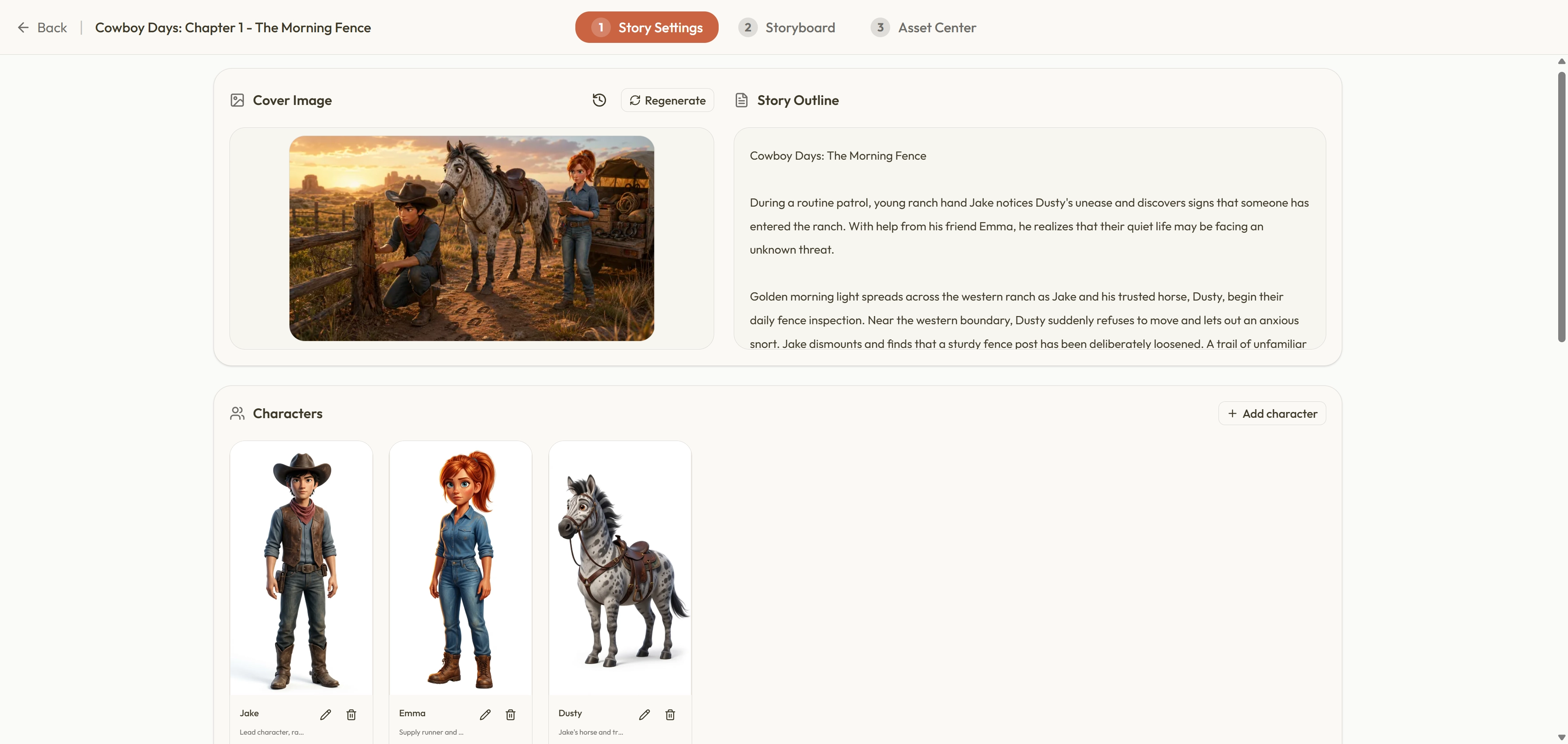
Story planning workspace for an anime storyboard project
01

Create the anime story project

Begin with the premise, genre, audience, visual format, and episode goal. Develop a story outline and script before requesting images, then check whether the setup, conflict, turning point, and ending are clear enough to support a sequence of shots. A focused script gives the anime storyboard a practical structure instead of leaving the image model to invent disconnected scenes.

  • Choose a 9:16 portrait or 16:9 landscape project format.
  • Review the outline, scene order, dialogue direction, and pacing.
  • Keep the story editable before committing credits to media generation.
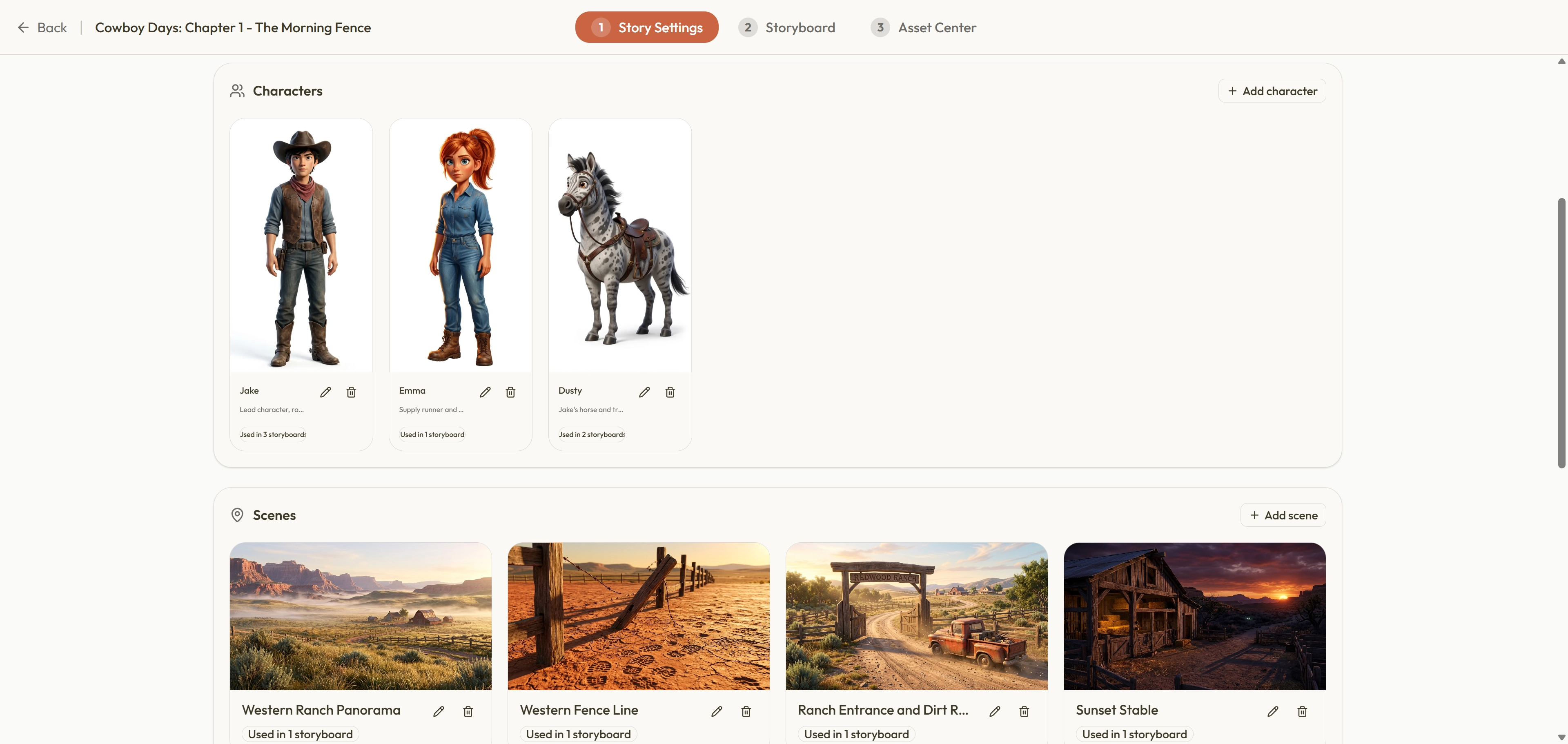
Anime project workspace showing reusable character cards and location cards
02

Build character and location context

Save the appearance, clothing, personality, role, and visual references for recurring anime characters. Add the locations and scene details that later shots need. These profiles give each storyboard request more consistent context and reduce repeated setup, but generative results can still vary. Review neighboring frames together and update the saved profile when an important design decision changes.

  • Reuse character and location records across related storyboard shots.
  • Keep costume, props, setting, and narrative role visible to the workflow.
  • Treat references as guidance that improves continuity, not a guarantee.
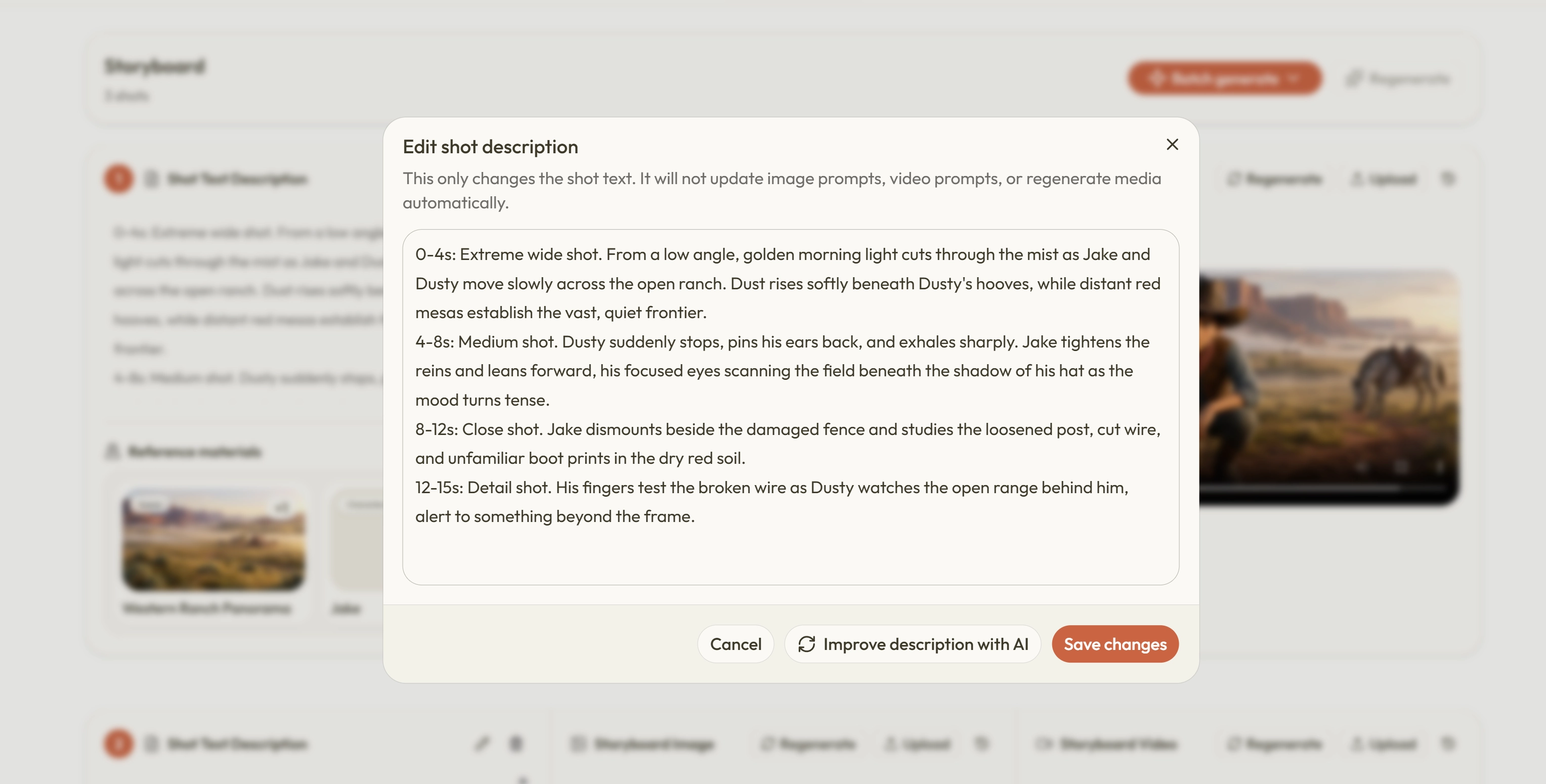
Edit shot description dialog for an individual anime storyboard shot
03

Generate and edit shots one by one

Turn the approved episode structure into individual anime storyboard shots. Each shot can carry its own description, composition, character references, location context, image prompt, and video prompt. Add a missing beat, remove a redundant angle, or reorder the sequence before generation. This makes it easier to find continuity gaps and pacing problems while they are still inexpensive to correct.

  • Edit shot intent, framing, references, and prompts before generation.
  • Add, remove, or reorder storyboard shots as the story changes.
  • Check adjacent frames for missing props, abrupt cuts, and unclear action.
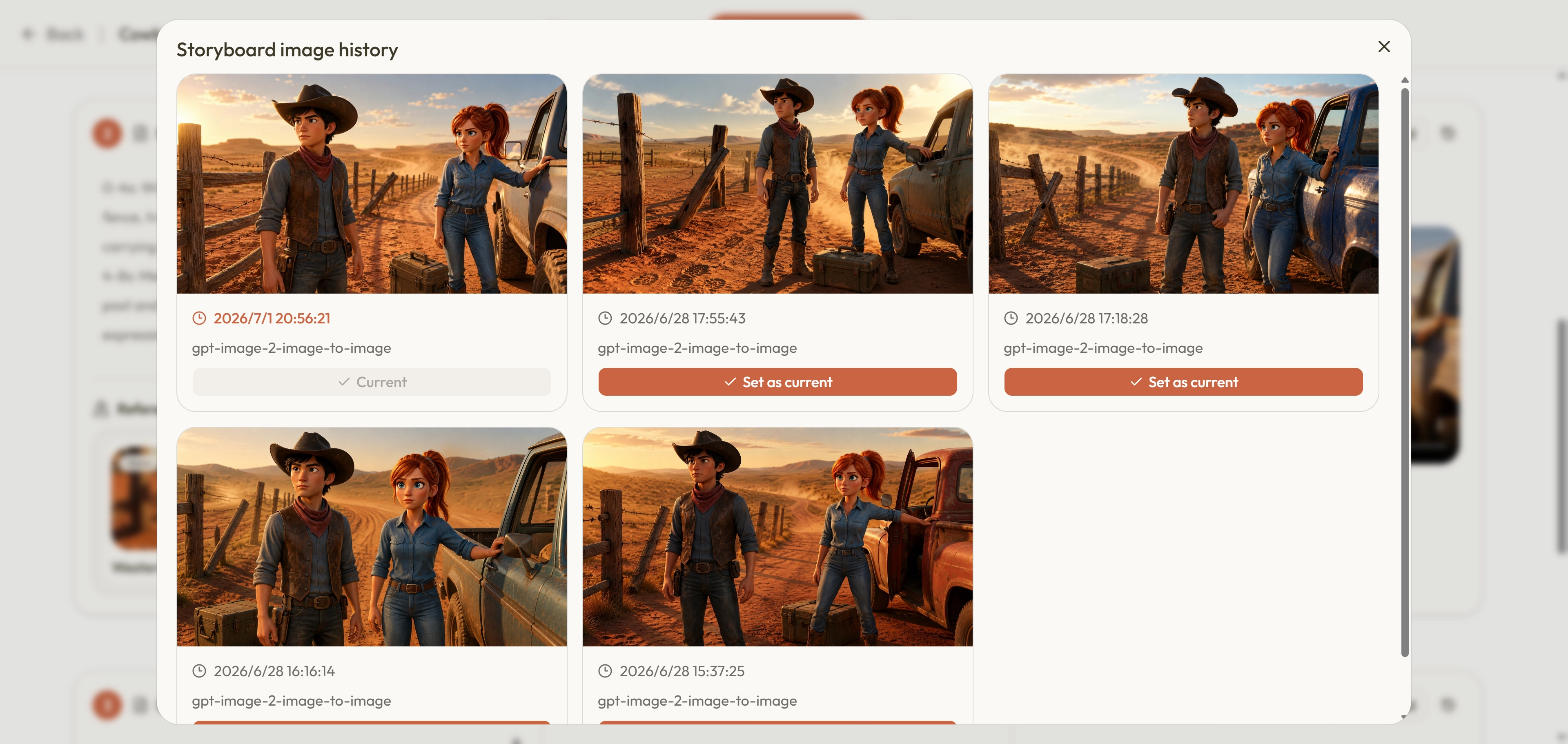
Anime storyboard frame selection and generated image history
04

Generate, compare, and select storyboard frames

Choose the available image settings for a shot, review the estimated credit cost, and generate visual options. Compare the results against the script, character references, composition, and nearby frames, then keep the image that best supports the sequence. The project retains generated history so you can revisit alternatives without confusing them with the currently selected anime storyboard frame.

  • See the expected credit use before confirming generation.
  • Compare image options without losing the selected shot asset.
  • Download individual files or an organized episode asset package.

From frame to short video

Generate video only for the shots you select

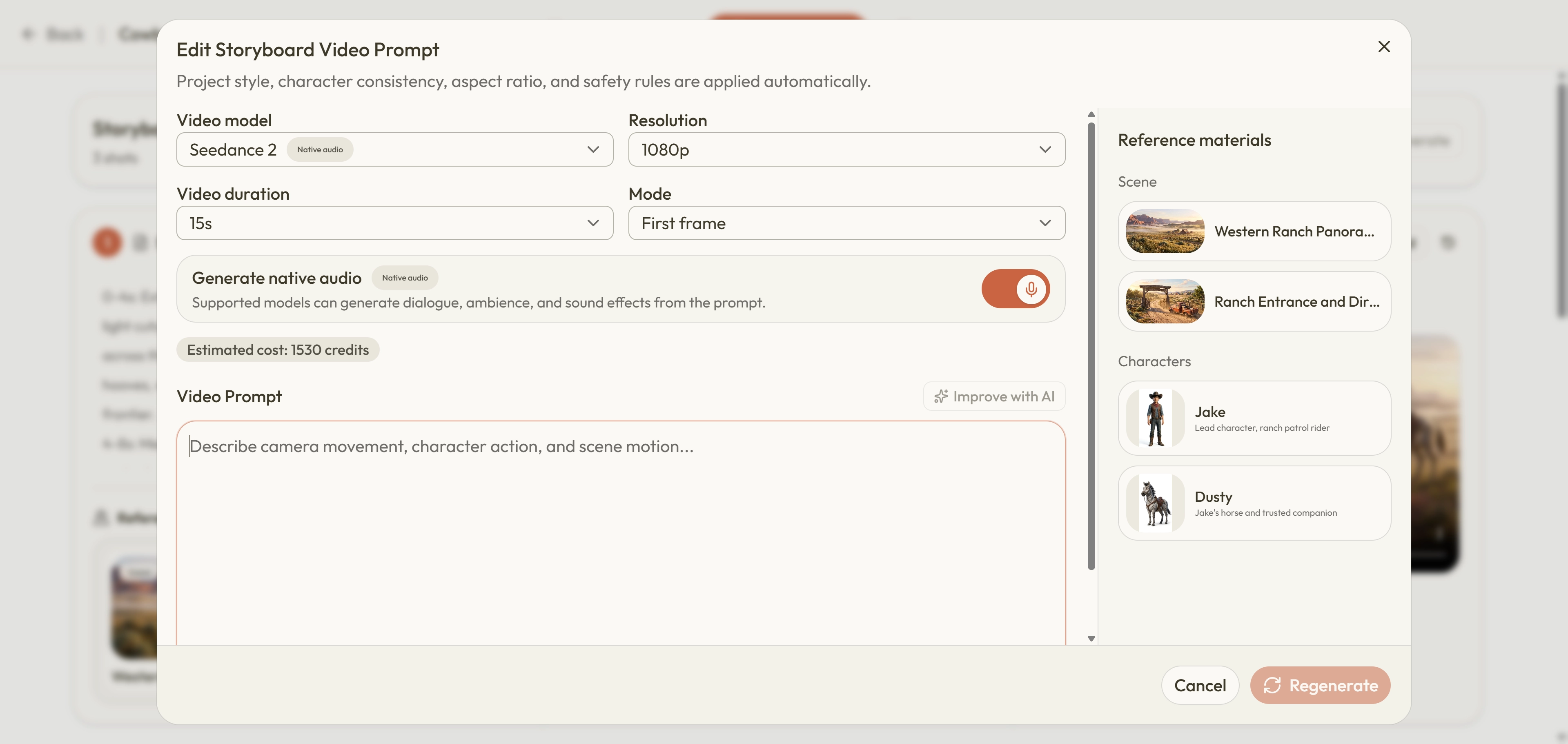
When an anime storyboard image is ready, use that selected frame as the starting point for a short, shot-level video clip. Choose from the video settings shown in the generation panel, review the expected credit cost, and compare the result with the intended action and neighboring shots. Create Your Anime keeps these clips with their project assets; it does not provide a timeline editor or automatically merge them into a completed episode.

Video generation settings for one anime storyboard shot, including model, resolution, duration, audio, references, and estimated credits

What the workflow actually does

Creative control remains with you

The page describes the real project workflow and its limits so you can decide whether it fits your production process.

✓

Editable before and after generation

Story text, shot order, prompts, references, and selected assets remain visible for review and revision.

✓

Context is reused across the anime project

Character and location profiles give related shots a shared starting point, although outputs still require human comparison.

✓

Credits are shown before generation

Text, image, and video tasks can use different amounts, so the active generation panel shows the expected charge.

—

No automatic final edit

Videos are generated per shot. Arrange, edit, combine, caption, and publish them in the external editing workflow you choose.

01

Vertical story chapters

Plan a 9:16 sequence for short-form story feeds before generating the frames that carry each beat.

02

Widescreen scene planning

Use 16:9 shots to explore composition and visual continuity for trailers, presentations, or later edits.

03

Character-led series

Reuse cast and location records when the same anime world continues across several chapters or episodes.

04

Client and team review

Keep narrative intent, visual references, generated options, and selected assets organized for a clearer handoff.

Storyboard questions

Before you start an AI anime storyboard

Does this page generate an anime storyboard instantly?

No. This is a guide to the existing Create Your Anime workflow. Start a project from the homepage, sign in when needed, and use the workspace to plan the story, create characters and locations, build shots, and generate storyboard images. Keeping generation inside a project preserves the context needed for later revisions.

Can I edit the storyboard after AI creates the shots?

Yes. You can revise shot descriptions, prompts, references, and ordering, and you can add or remove shots as the story changes. Generated media does not remove the need to review the narrative flow. Check the complete sequence before generating expensive image or video variations.

Will every anime character stay perfectly consistent?

No generative workflow can promise perfect consistency. Detailed character profiles and reusable reference images give the model stronger context and can improve continuity. You should still compare faces, clothing, props, proportions, lighting, and nearby frames, then keep or regenerate the result that best matches the project.

Can I create video from an anime storyboard frame?

Yes. For a selected storyboard image, the workspace can generate a short video clip for that individual shot using the available video options. It does not assemble all clips into a finished episode, so final sequencing, audio, captions, transitions, and publishing remain part of your separate editing process.

How do credits work for storyboard generation?

Story, image, and video tasks use credits according to the selected model and settings. The relevant generation panel shows the expected charge before you confirm the task. Planning and reviewing shots first helps avoid spending credits on frames that do not yet have a clear narrative purpose.

Can I use generated anime storyboard assets commercially?

Commercial use depends on the Create Your Anime Terms, applicable law, and the terms of the relevant model provider. You are responsible for the rights to your inputs and for reviewing outputs for protected characters, brands, artwork, voices, and other third-party material before publishing or delivering client work.

Start with the story

Build your next anime storyboard inside one connected project

Name the project, describe the story, choose the format and visual style, then continue into the workspace with your creative context intact.

Start a storyboard project
Create Your Anime logoCreate Your Anime

Plan stories, reuse characters, edit storyboards, and generate shot-level anime assets in one studio.

Support: support@createyouranime.com

X (Twitter)
Studio
  • Home
  • Workflow
  • AI Anime Storyboard Generator
  • Pricing
  • FAQ
Company
  • About
  • Contact
Legal
  • Cookie Policy
  • Privacy Policy
  • Refund Policy
  • Acceptable Use Policy
  • Terms of Service
© 2026 Create Your Anime. All Rights Reserved.